FROM YOUR CAMERA ROLL
How to choose a photo for a pet portrait
Start with the face you know best.
A good reference shows the details that make your companion recognisable: their eyes, face shape, markings and expression. You do not need a staged portrait session to start choosing a design. Look for a sharp original photo that clearly shows the part of your pet you want in the artwork.
Use natural light and keep the details clear
Choose a photo taken in bright, even light. Heavy shadows can hide a dark coat; strong glare can wash out lighter markings. Avoid beauty filters or effects that change the colours or shape of their face. Get down to their eye level when you can, and keep their nose, eyes and ears in view.
Compare Mabel’s reference photo with her Pizza Patrol portrait to see how her white blaze and chestnut ears carry across into the artwork.
Match the photo to the composition
A close-up can show expression clearly. For a design that includes more of the pet’s body, keep a sharp full-body reference as well. Browse the artwork examples first: they help you see the pose and amount of the animal shown in each composition. A wall photo is useful for judging the design in a room; it is not the reference for your own pet.
Choose the original file
Use the original image from your camera roll where possible. A screenshot or a copy downloaded from a social post can lose detail. The order form accepts JPEG, PNG and WebP files up to 15 MB. Check the image at a larger size before choosing it: if the eyes and markings look blurred, a clearer photo is a better starting point.
Preparing a portrait as a surprise gift
Use a photo you have permission to use, or ask someone close to the recipient for the original. Check the spelling of the pet’s name and any nickname you want included. If you are considering a Christmas pet portrait gift, ask about ordering availability and delivery before relying on a particular arrival date.
Dog photos, cat photos and other companions
The artwork examples include dogs and Pearl the cat. Choose a clear dog or cat photo and compare examples in the scene you like. For another type of animal, ask the studio about suitability before ordering. The composition needs review; the preview does not automatically transform a photo into finished artwork.
Quick photo check before checkout
- Eyes and face markings are sharp at full size.
- Ears and the required body area are not cut off.
- The original JPEG, PNG or WebP is no more than 15 MB.
- You have permission to use the photograph.
Why we check the crop before printing
A tall canvas and a shorter portrait canvas can have different proportions. The two views below use the same existing Brick Wall artwork in a tall window: one preserves the full composition with a border, while the other fills the window by cropping. This is an on-screen teaching example, not a final print preview or an automatic crop we apply to your order.
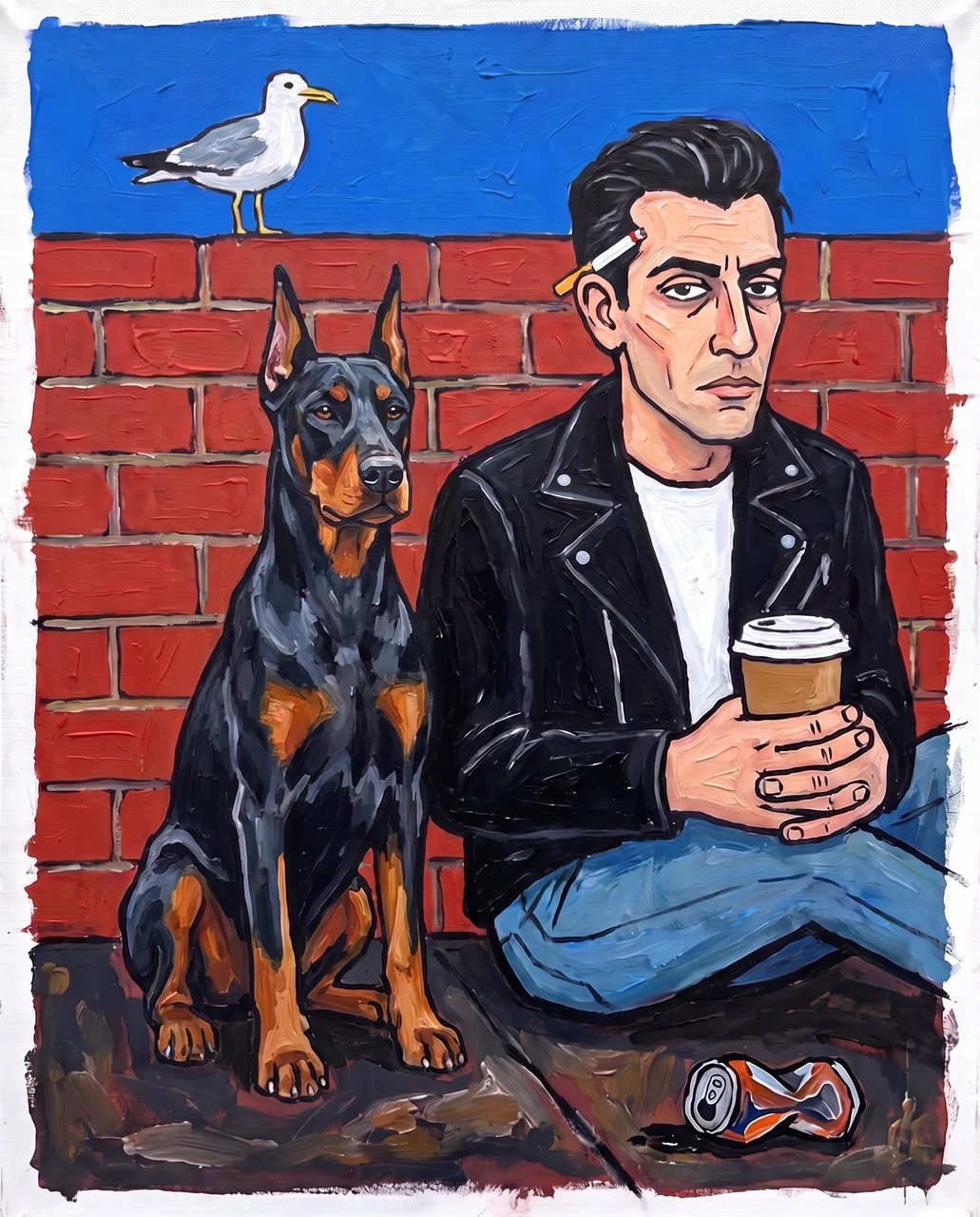
Compare important features, names and scene details during approval. A border or crop should be agreed before a physical print is released.
Older photos and memorial portraits
If this is the only photo you have, keep the original file and avoid repeatedly resaving it or using filters that invent facial detail. Check whether the eyes, muzzle and important markings are visible. For a blurred, tiny or damaged reference, ask the studio about suitability before ordering. A design example does not guarantee that missing detail can be recovered.
What if my photo is blurry or does not match the pose?
Before ordering, compare the chosen design with your original photo. If the face is blurred, important markings are hidden or the required body area is missing, send a suitability question to sales@getpetpals.com. Describe the design you want and the photo limitation. Avoid including people or private details that are not needed.
A clear alternative photo may be a better reference. We do not promise to recover missing facial detail or recreate an unseen pose accurately. If a problem is identified after payment, contact the studio to agree the next step under the changes and cancellation policy. Do not assume a new photo, refund or additional work has already been agreed.
What happens when you upload?
Your photo and personalisation choices are securely saved when you continue to checkout. Once payment is confirmed, AI-assisted artwork options are prepared privately for the studio. A person checks the result before sharing a customer approval link. Your uploaded photo is a reference, not an instant finished portrait. We do not send your photo straight to a printer.
Use a photo you have permission to share. Avoid including people or private information that is not needed for the portrait. Read our privacy information for how the order and image services handle your files.
For a photo or design question, contact sales@getpetpals.com.
Choose their portrait style ↗Can I include two pets or combine separate photos?
The standard order form accepts one reference-photo file for a portrait. If that photo contains several pets, or you want pets combined from separate photos, ask the studio to confirm the design, scope and price before paying. Do not assume that every illustrated scene supports an extra pet or a new composition. We can check your request before you choose a finish.
Do I need to remove the background from my photo?
Start with a clear original photo showing the pet’s face and markings. Background colour choices refer to the selected artwork design. If objects, another animal or heavy shadows hide your pet, ask about photo suitability before ordering instead of relying on the artwork process to reconstruct missing details.